
How to set up counterparty trading requirements on P2P
How to set up counterparty trading requirements on P2P
2026-01-24 16:00
3716007Share
In order to make merchants work easier, we have come up with a new feature called "
Counterparty Trading Requirements". This feature lets a merchant choose/filter users with who he wants to
accept orders or initiate a trade. With this new feature merchants can set up requirements/conditions for the user, and only the user who satisfies these requirements will be able to trade with the merchant.
Here's a video guide on how you can use this feature as a P2P merchant when posting advertisements.
If you are still not a merchant, please click to learn
How to become a Merchant on Bitget P2P.
If you need to set the trading requirements of the counterparty
(non-merchant users)
, you need to click this button to enable this feature.
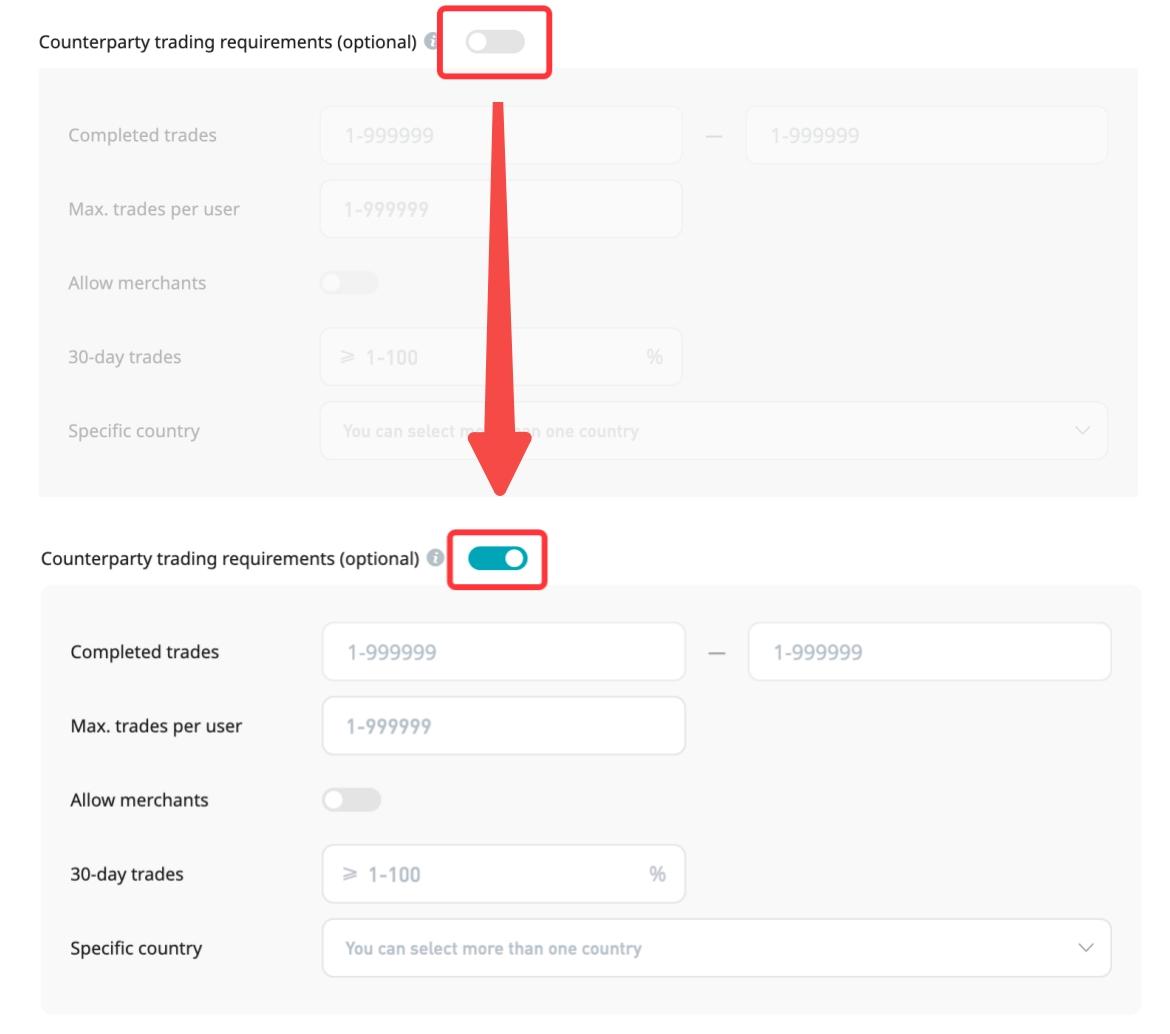
1)Completed trades:The number of orders that the counterparty has completed in the past
For example:

This means that only users whose
total number of completed P2P orders is greater than 5 will be able to place orders from this advertisement. (for filtering old users)

This means that only users whose
total number of completed P2P orders is less than 5 will be able to place orders from this advertisement. (for filtering new users)

This means that the users whose
total number of completed P2P orders is greater than 5 but less than 10 orders will be able to place orders from this advertisement.
2)Max.trades per user:The maximum number of times each user can place an order from this advertisement
For example:

If it is set as 1 then each user can
place
only 1
order
from
this
advertisement
3)Allow merchants:Whether you allow other merchants to place orders from this ad

Opening this button means that
all users and merchants can place orders in this advertisement
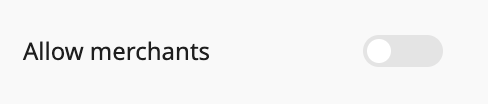
Closing this button means that
only users can place orders in this ad, and
merchants can not place orders
4)30-day trades:The counterparty's 30-day completion rate
For example:

This means that only counterparties whose
30-day order completion rate exceeds 80% can place orders in this ad
5)Specific country:The KYC nationality of the counterparty
Users in most countries can only trade in fiat currencies corresponding to their KYC nationality. A few special countries can trade in multiple fiat currencies.
You can also reach out to us on telegram
@bitgetp2ppay or
@Bitgetlamelo for any queries or email us at
p2p@bitget.com
Join Bitget, the World's Leading
Crypto Exchange and
Web 3 Company
*This announcement is time-sensitive. Please note the date of publication. The platform assumes no responsibility for any direct or indirect losses arising from changing circumstances or outdated content.
Related articles
How to Apply to Be a Bitget P2P Merchant? - Website GuideHow to Apply to Be a Bitget P2P Merchant? - Mobile App GuideHow to Revoke My P2P Merchant Status? - Website GuideHow to Revoke My P2P Merchant Status? - Mobile App GuideHow to Post a P2P Advertisement on Bitget? - Website GuideHow to Post a P2P Advertisement on Bitget? - Mobile App GuideHow to Use Bitget P2P API?Requirements and benefits for becoming a P2P merchantWhat is the Order acceptance feature for P2P merchants?P2P Merchant Security Deposit Asset Management Agreement
Was this helpful?