
Floating window tutorial for Android devices
Floating window tutorial for Android devices
2024-01-24 07:01
41048008Share
1.
Introduction
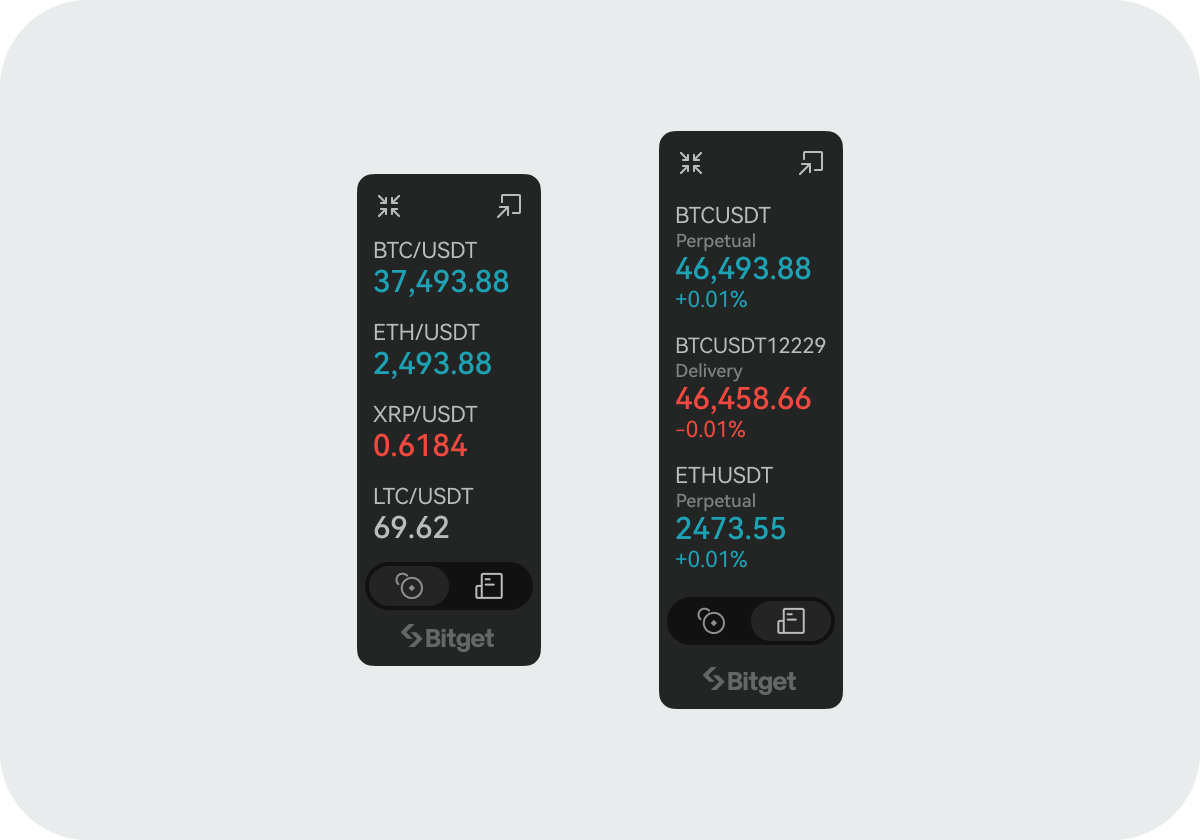
The widget float window is a feature that presents a small but useful and up-to-date piece of information in the most prominent position of the screen, helping users quickly understand the real-time changes of the currencies they are interested in.
2.
How to add the float window
Step 1: Launch the Bitget app on your Android device, then locate the
Widget button in the upper right corner of the
Market tab. (Ensure that your app version is 2.25.0 or above.)
Step 2: After entering the
Widget page, tap
Float Window.
Step 3: Turn on the
Float Window
Display switch.
Step 4: Configure the float window settings according to your preferences.
Join Bitget, the World's Leading
Crypto Exchange and Web 3 Company
*This announcement is time-sensitive. Please note the date of publication. The platform assumes no responsibility for any direct or indirect losses arising from changing circumstances or outdated content.
Related articles
⚙️ Uncredited Deposit Refund Service Maintenance📢 Bitget CFD System Maintenance Notice📢 KYC Re-Verification NoticeWhat is GetClaw and How to Start Using it?Law Enforcement Request GuideFAQ - Important notice for Japanese ResidentsBitget Broker Program – FAQHow to Submit an Inheritance Application on Bitget?FAQ - Temporary Restriction of Services in IndiaSatoshi Is Found — in GetAgent. Ask Satoshi Anything to Share $10,000 BTC Airdrop
Was this helpful?